Web development
What makes software good, and how to check it before you buy
The six qualities that decide whether a website or system serves your business for years, how to check each one before you buy, and the evidence we hold our own work to.
- Written by
- Hosam Hammad
- Published
- 4 November 2026
- Reading time
- 10 minutes
01 · The short answer
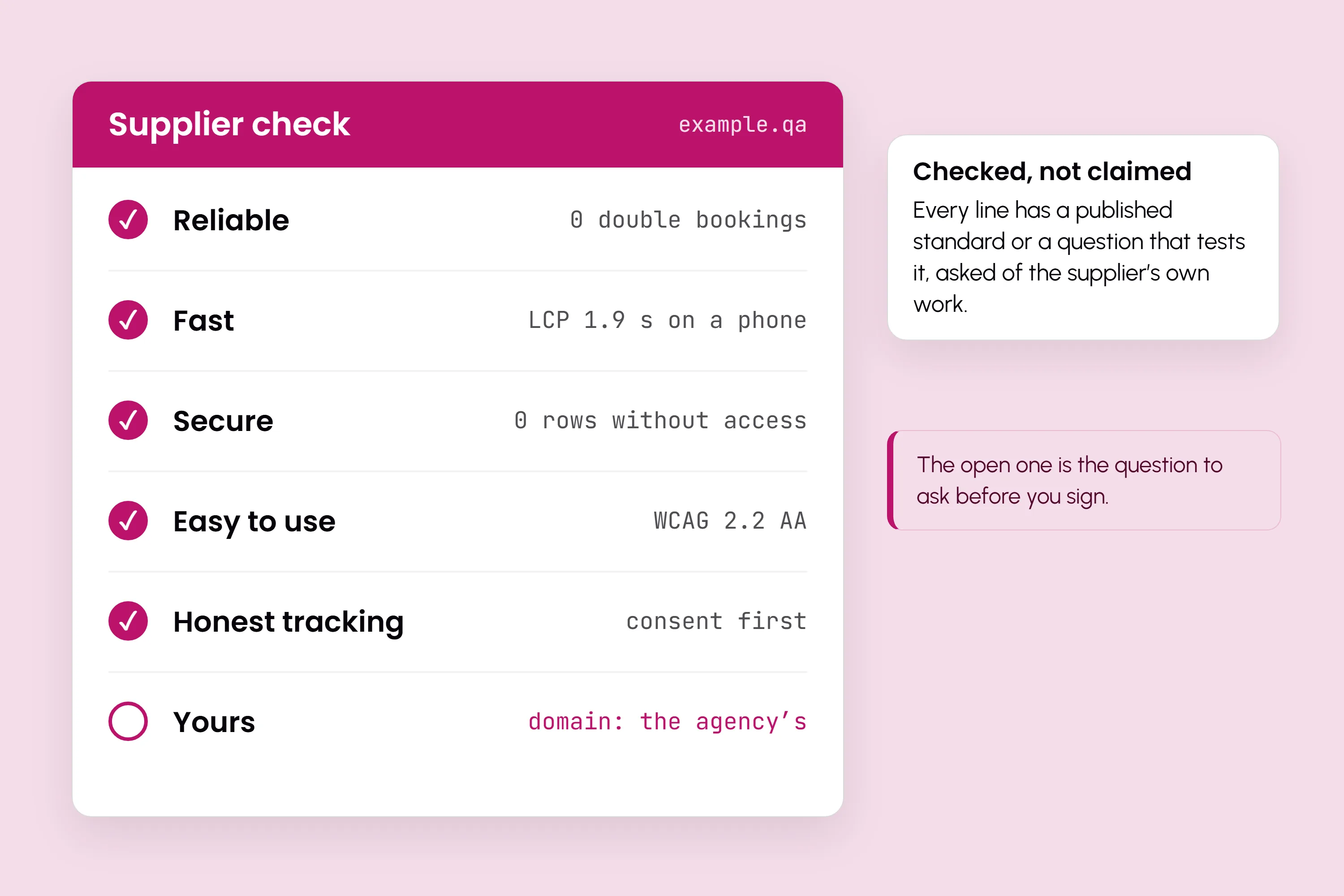
Good software is reliable, fast, secure, easy to use, honest about tracking, and yours
Good software does its job correctly every time, including on the day something goes wrong. It refuses bad data instead of storing it, loads quickly on an ordinary phone, shows each person only what their role needs, and can be used by a customer who has never seen it before, in Arabic or English. It asks before it tracks anyone, and it measures enquiries rather than vanity numbers. And it belongs to the business that paid for it: the domain, the hosting, the code and the data are in the owner's name, documented well enough that another developer could take over.
Each of those qualities can be checked, by you, before you sign. This guide takes them one at a time: what each one means, the published standard behind it where one exists, the question that tests it, and how we hold our own work to it, with links you can follow. It works on any supplier, us included. We build websites and systems in Doha, so read it knowing that.
02 · Reliability
Reliability: it keeps working, and it refuses bad data
Reliable software does the same correct thing on its thousandth day as on its first. Most failures an owner meets are not crashes. They are quiet errors: the same room booked twice, an order saved without a phone number, a payment marked complete that never arrived.
Three things separate reliable software from the rest.
- Rules live in the database, not only in the code. Code has many paths, and a new feature can forget a check an old one made. A rule written into the database itself, such as "this camera cannot be in two bookings at the same time", applies to every path, including the ones nobody has written yet.
- Automated tests run before every release. A test is a small program that checks the software still does what it did yesterday. Without them, every change is a bet that someone spots the break before your customers do.
- A half-finished action has a decided ending. A customer starts a booking, reaches the payment page and closes the tab. What happens to the slot? In good software that answer was decided in advance, not discovered on the day.
Ask any supplier: "Show me a rule your database enforces on its own, and tell me how many tests run before you release."
Our answer, with the evidence. In the system behind Ottora Studio, overlapping equipment is refused by a database constraint, not by a check the code could forget, so the system accepts zero double-bookings. An unpaid booking releases its own slot after 15 minutes, so an abandoned checkout never holds the calendar. Our own admin dashboard runs more than 3,000 automated tests before each release, and the Masas website has 19 build gates that every release must pass before it goes live.
03 · Speed
Speed: measured on a real phone, not claimed
Every supplier says their sites are fast. Google publishes how to check. Its Core Web Vitals are three measurements of what a visitor actually experiences, each with a published threshold for a good experience:
- Largest Contentful Paint (LCP), loading: the main content should appear within 2.5 seconds of the page starting to load.
- Interaction to Next Paint (INP), responsiveness: the page should respond to a tap or click in 200 milliseconds or less.
- Cumulative Layout Shift (CLS), visual stability: 0.1 or less, so buttons do not move as your thumb reaches them.
Google assesses each one at the 75th percentile of real visits, separately for mobile and desktop. In plain terms, at least three in four of your visitors should get the good experience, not only the developer on office Wi-Fi.
Two habits make most of the difference. The first is pages built ahead of time. A pre-rendered page is ready before anyone asks for it, so no server assembles it while the customer waits. The second is testing on a mid-range phone. Most of your customers in Qatar will meet your site on a phone, often on mobile data, and a page that feels instant on a new laptop can take seconds there.
You can test any site yourself. Google's free PageSpeed Insights shows real-visitor Core Web Vitals where Google has enough data, and a Lighthouse lab score out of 100, in which 90 to 100 counts as good.
Our evidence: the Masas site is 104 statically pre-rendered pages in English and Arabic. On a mid-range phone, Lighthouse scores it 94–95 for performance and 100 for accessibility, best practices and SEO.
04 · Security
Security: access decided by the database, not by the screen
The most common serious weakness in web applications is not exotic hacking. It is broken access control: a user reaching data their role should never see. It is first on the OWASP Top 10, the most widely used list of web application security risks, in the 2025 edition as it was in 2021.
Many systems protect data by leaving it off the screen. The data is still there for anyone who asks the server directly. Four things make a system secure in practice:
- Access by role, enforced by the database. With row-level security, the database itself checks every request against the user's role and returns only the rows that role may read. A hidden button is not a lock. This is.
- Two-factor sign-in for every admin account. A password alone can be guessed, reused from another site or phished. OWASP calls a second factor "by far the best defense" against most password attacks in its multi-factor authentication guidance.
- Secrets kept out of the code. Payment keys and passwords belong in a protected store, never written into the code where every developer and every copy of the project can read them (OWASP on secrets management).
- Security headers on every response. Short instructions the server sends with each page, telling the browser to refuse common attacks, such as loading your site inside a frame on someone else's (OWASP Secure Headers Project).
Ask: "If a staff member without finance access queried the database directly, what would they get?"
Our evidence: in Ottora Studio's admin dashboard, an admin without finance access gets 0 rows from the ledger, even querying the database directly. The dashboard has 16 modules, each opened only to the roles whose work it is.
05 · Usability
Usability and accessibility: real customers, phones first, both languages
Software is usable when a customer who has never seen it can do what they came for without help. A demo given by the person who built it will not tell you that. Ask someone outside the project to try it on their own phone, and watch where they hesitate.
Accessibility is the part of usability with a published standard. The W3C's Web Content Accessibility Guidelines (WCAG) 2.2 set out testable criteria, and level AA is the level most organisations build to. In practice that means text with enough contrast to read outdoors, every action reachable by keyboard and by screen reader, a label on every form field, and buttons large enough to tap. WCAG 2.2 added a minimum size for tap targets and a rule against making people type again what they have already entered.
Three more marks of usable software:
- Phones first. The phone screen is designed first and widened, rather than a desktop page squeezed down.
- Clear errors. "Enter a Qatar mobile number, 8 digits" helps; "Invalid input" does not. A good form keeps what the customer typed when something goes wrong.
- Arabic built right to left, not mirrored. Flipping an English layout breaks numbers, phone fields, arrows and lines that mix Arabic and English. Arabic needs its own typeface, its own line spacing and copy written for Arabic readers. That is the whole job of our Arabic and RTL websites service.
Our evidence: the Masas site scores 100 for accessibility in Lighthouse on a mid-range phone. An automated score is a floor, not proof of full WCAG conformance, so ask any supplier, us included, how they checked the rest.
06 · Privacy
Privacy and honest tracking: consent first, then count enquiries
Good software asks before it tracks. Analytics and advertising tags should load only after a visitor agrees, and the site should work just as well if they decline. Qatar has its own personal data law, Law No. 13 of 2016, under which a person's consent is the main basis for processing their personal data, and customers notice a site that respects the question. Collect only what you need, keep it somewhere you control, and know who can read it.
Honest tracking also means measuring the right thing. Page views, followers and time on site are easy to grow and easy to report, and they rarely tell you whether the site earns its cost. The number that matters is the enquiry: a form sent, a call made, a WhatsApp chat opened, recorded with the page and the search that led to it. Once enquiries are recorded as events, you can see which pages bring customers and which only bring visitors. Our article on why a website gets visitors but no enquiries goes further.
Ask: "What runs before a visitor agrees to tracking, and which report will show me enquiries rather than visits?"
Our evidence: on corethreeweb.com, analytics waits for your answer to the consent banner. For Bushra Pharmacy, we counted what matters to a pharmacy: 475+ qualified patient enquiries in 60 days across WhatsApp, calls and delivery apps.
07 · Ownership
Maintainability and ownership: yours, in your name, and handover-ready
Software lasts years, and suppliers change. Good software is built so the business that paid for it can keep it, change it and, if it has to, move it.
- The domain is registered in your business's name, with you as the owner and the supplier as a user.
- The hosting plan is yours. It is in your name and billed to you. A good supplier chooses the right plan and sets it up, but does not stand between you and it.
- The code and the data are yours. The code sits in a repository you control, and you can export your data in a standard format whenever you like, without asking anyone.
- It is documented. How the system is built, how it is deployed, where its settings live and which services it depends on are written down, so another developer could take over without a rescue project.
- You can edit the content yourself. A routine change should not need a developer or an invoice.
- It is built on widely used tools. Software made with mainstream, well-documented tools can be maintained by many developers, not only the one who built it.
Ask: "If we parted ways tomorrow, what would I have, in whose name, and what would I need from you?" The right answer is everything, in yours, and nothing.
How we do it: the domain, the hosting plan, the code and the data are in the client's name. We choose the hosting and set it up, and work with the access the client gives us. We build with widely used tools such as Next.js, Webflow and Postgres, and we document how each system is built and run. Lanyardy, the lanyard factory in Qatar, has published 18 pages on its own through its CMS: 11 articles and 7 event case studies.
08 · Checklist
Twelve questions to ask any software supplier
Take these to every call. A supplier who answers all twelve clearly, with something you can check, is worth a longer conversation.
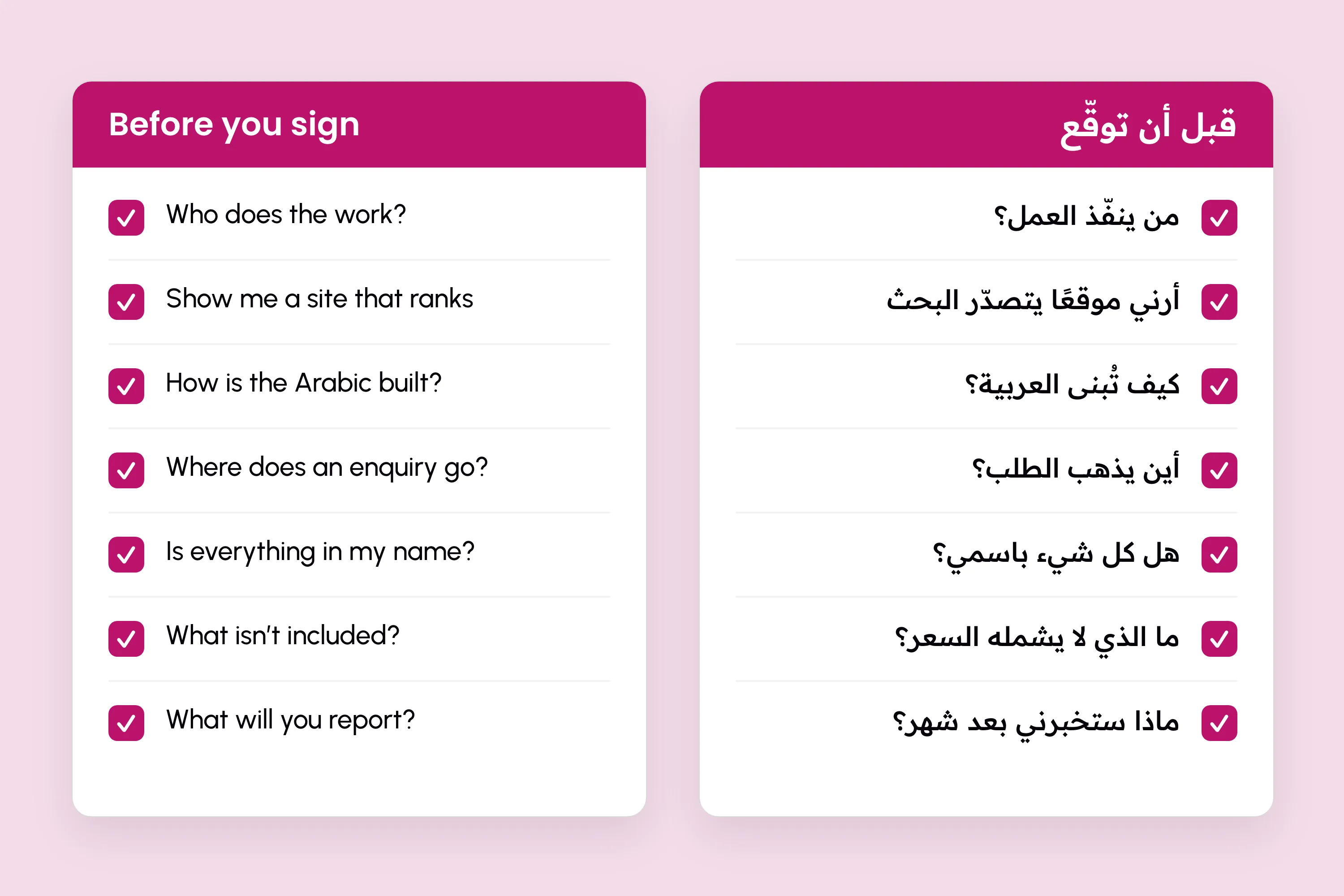
- Which rules does your database enforce on its own, not just the code?
- How many automated tests run before each release, and can I see them pass?
- What happens to a booking or an order if the payment fails half-way?
- What are this site's Core Web Vitals on mobile, and where can I check them?
- Are the pages pre-rendered, or built while the visitor waits?
- Is access by role enforced in the database, so a direct query returns nothing it shouldn't?
- Is two-factor sign-in required on every admin account?
- Where are passwords and payment keys kept, and who can read them?
- Which WCAG 2.2 level do you build to, and how do you test it?
- Is the Arabic designed right to left, and who writes it?
- What runs before a visitor agrees to tracking, and how will I see enquiries?
- Are the domain, hosting, code and data in my name, and is it all documented?
For price, people and contracts, our guide on how to choose a web design company in Qatar has seven more.
09 · How we work
How CoreThree holds its own work to these standards
We are a web studio in Doha. We design and build bilingual websites and the systems behind them, and the people who build your site are the people you talk to. Every quality in this guide is one we hold our own work to, and every result quoted above links to its project, so you can check it rather than take our word for it.
On a project, that means:
- Rules that matter go into the database, and tests run before every release.
- Pages are pre-rendered wherever they can be, and measured on a mid-range phone.
- Access is decided by role, in the database.
- Arabic is designed right to left from the first layout.
- Tracking waits for consent, and counts enquiries.
- The domain, the hosting plan, the code and the data are in your name.
Our standards page sets out each one with the project that shows it.
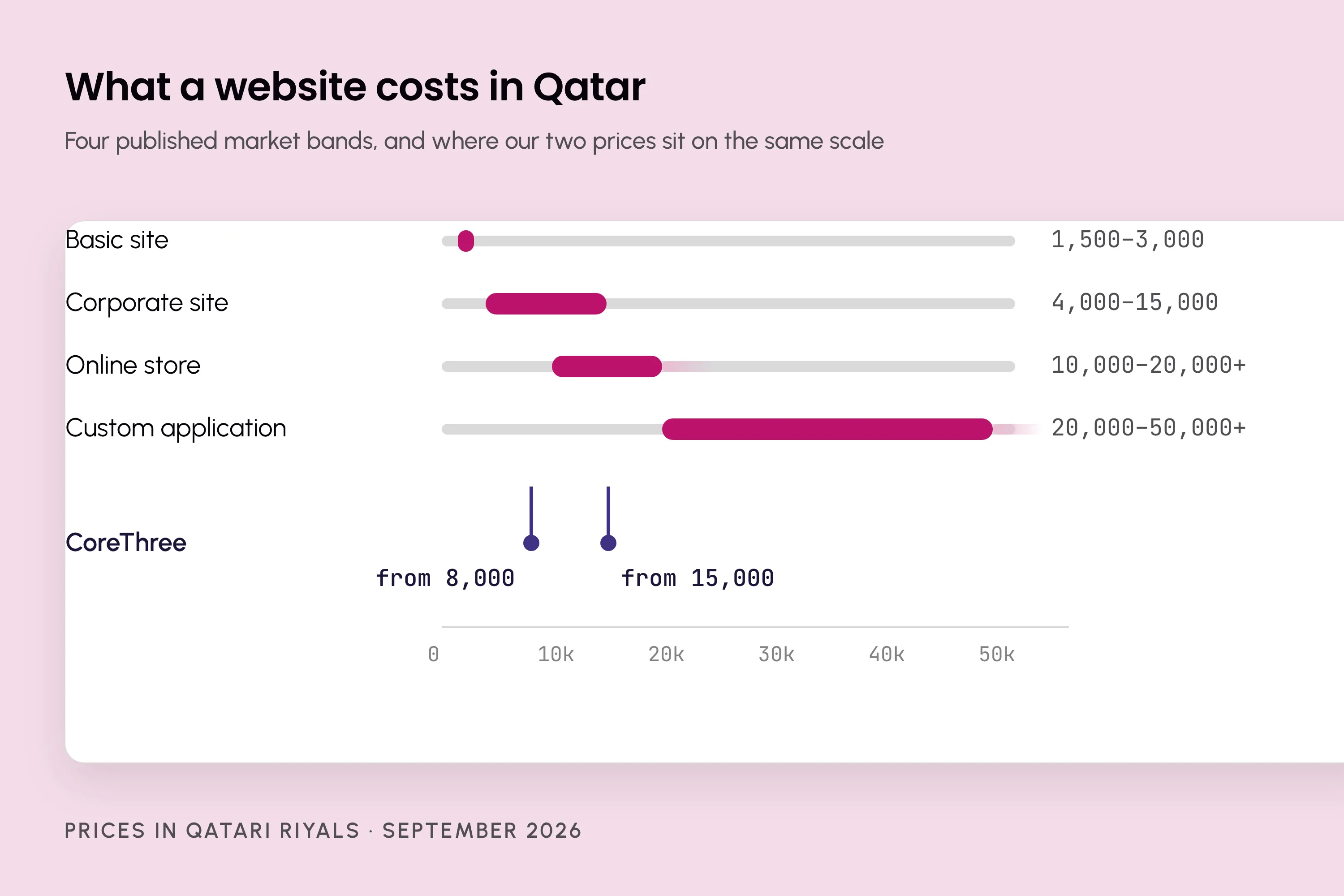
Websites start from QAR 8,000 for a site, or QAR 15,000 for a site with a system behind it, as one-off projects. See what we offer and the work it has produced, or book a call and ask us the twelve questions.