AI & Automation
Workflow automation in Qatar
The copying, chasing and reformatting, done without a person.
A customer accepts a quote on the website · 14:02
- 14:02:03Order added to the orders sheet
- 14:02:05Invoice raised in the accounting system
- 14:02:06Invoice sent to the customer
- 14:02:06Site team told the start date
- 18:00Included in tonight's report
By hand: about 15 minutes, four times a day
Automated: 6 seconds
7
projects shipped across Qatar and the GCC





Design, search visibility and pipeline — built together, in English and Arabic.
Definition
What workflow automation is, and what it isn't
Workflow automation connects the tools you already use so information moves between them without a person in the middle. Each automation has a trigger and a chain of steps: an accepted quote adds a row, raises an invoice and tells the site team, as in the demo above.
Most of it is rules, not AI. A model belongs only at a step that needs reading, such as a supplier's PDF, and a person or a rule checks its output. If your team needs a new screen to work in, that is an internal tool.
Why it matters
Why the small tasks cost the most
The expensive work is rarely the hard work. It is the fifteen-minute task done four times a day by someone whose time is worth more: copying an order from WhatsApp into a sheet, retyping it into the accounting system, sending the invoice. In the demo above that is an hour a day, about five hours a week.
It breaks quietly
A step skipped on a busy afternoon, or a Thursday-evening order left until Sunday, and nobody notices until the customer calls.
Retyping adds errors
A wrong digit in a +974 number, an invoice in the wrong customer's name.
It must fail loudly
An automation that stops silently is worse than the manual step, because everyone assumes it ran.
Done while the customer waits
An order confirmed while the customer is still on WhatsApp, and a bilingual invoice sent the same minute.
Choosing
Which tasks to automate first
Score each repeated task: the more yes answers, the higher it goes, and a broken process is fixed on paper first.
- Does it happen often?A task done four times a day beats a complicated one done twice a year.
- Is it the same every time?If the rule fits one sentence, automate it. If the sentence starts with 'it depends', keep a person.
- Is the data already digital?A form, an email or a system record works. Paper notes and phone calls need a step first.
- Is a mistake costly?Retyped amounts, phone numbers and names are where errors cost money and trust.
- Who does it now?An hour of a manager's time is worth more, and is more often the bottleneck.
- Do the tools connect?Most modern systems offer an API. Older ones may only export files, which still works, more slowly.
The arithmetic
How to work out the hours before you spend anything
You can estimate the return yourself in a week, and the same timings later tell you whether it worked.
List the steps
Write the task down as it is really done, including the checking and the chasing.
Time it five times
For real, with a clock. People underestimate their own routine tasks.
Count a normal week
Your order log, sent folder or WhatsApp history shows how often it happens.
Multiply
The demo's 15 minutes, four times a day, five days a week, is 5 hours weekly: about 240 hours over 48 working weeks.
Add the mistakes
Wrong invoices, missed orders and customers chasing you each cost rework and goodwill.
Compare, then time it again
Weigh it against build and running costs on your accounts. After a month of running, time the task again.
How it runs
From a map of the week to a chain that reports failure
What we need from you: an hour with the people who do the work, admin access to the tools, and one owner per chain.
Map
Each step, its tool and its minutes, drawn with the people who do it. The map often shows a step nobody needs.
Design the chain
Trigger, steps, approvals and what happens when each step fails, on one page before anything is built.
Test with awkward cases
A duplicate order, a missing phone number, an Arabic name in an English template, the accounting system down.
Run it alongside
For a short period the manual process runs too, and the two results are compared.
Hand over
Plain-language notes for each chain, on accounts in your company's name, never an employee's personal email.
What goes wrong
Common mistakes we fix in automations built elsewhere
Each fix is a habit, not a feature: Ottora Studio's 9-stage content pipeline, with approval gates that chase themselves after 24 hours, is built the same way.
What goes wrong
- Silent failureA connection expires, the chain stops, and nobody knows until a customer chases.
- A personal accountIt runs on an employee's login and stops the day they leave.
- No logNobody can say whether last Tuesday's invoice went automatically or by hand.
- Duplicates on retryA failed step reruns and the customer receives two invoices.
What a sound chain has
- An alert to a named personTest it: when did anyone last receive one?
- Company accountsEvery connection in the company's name, checked at handover.
- A readable run logEvery run leaves a record of what it did and what it changed.
- Steps that recognise done workA rerun skips what already happened, and customer messages use checked templates.
What Workflow automation includes with us
A map of the steps that eat the week, with the minutes each really takes
A shortlist ranked by hours saved and risk, so the first automation pays first
Connections between the systems you already pay for, with no migration
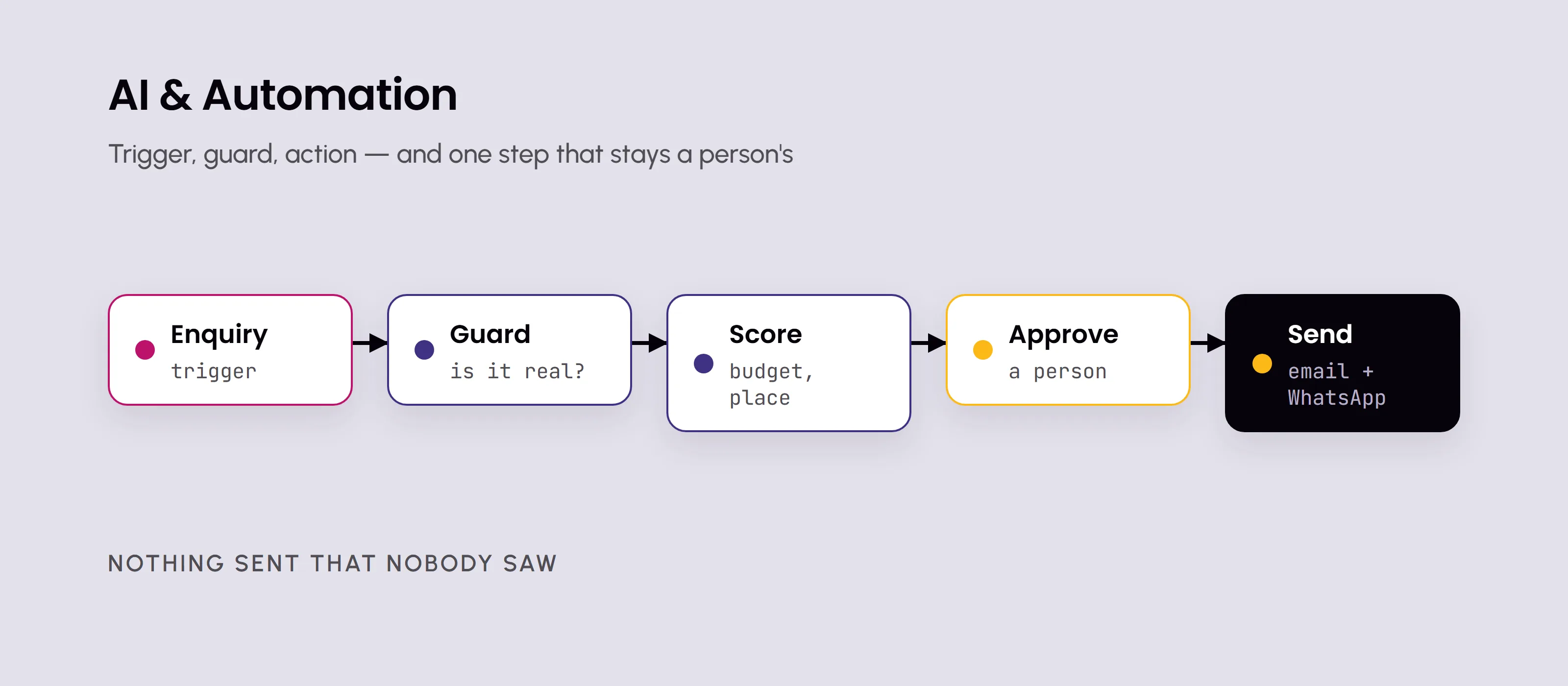
An approval step wherever a decision should not be left to a rule
An alert to a named person when a step fails, and the chain stops there
A run log: what ran, when, and what it changed
Scheduled reports sent on your working week, Sunday to Thursday
A plain-language note per automation: trigger, steps, owner, how to pause it
Common questions
How much does workflow automation cost?
It is quoted after a short call, once we know the task. What sets the scope: how many systems the chain touches, whether each can be connected properly, how many steps and approvals it has, and how many awkward cases it must handle. Running costs sit on your own accounts: the automation platform's subscription, usage fees, and an AI provider's charges if a step reads documents.
Do we have to change tools?
Usually not. Connecting what you have is cheaper than a migration, and your team keeps working where it already works. The exception is a tool that cannot be connected at all, or one already failing you; then replacing it first may be the better order. We tell you which case you are in when we map the process.
What happens when an automation breaks?
It alerts a named person rather than failing silently, and the chain stops at the failed step instead of carrying on with missing data. Try it above: simulate an outage and the invoice step stops and alerts Mariam. The log shows what ran, so the job can be finished by hand or rerun. Silent failure is what makes automation untrustworthy.
Where does AI fit in?
Only at steps that need reading or sorting: the amount and due date in a supplier's PDF, tagging incoming emails, drafting a reply for a person to approve. Everything else runs on rules, which are cheaper and do the same thing every time. AI output is checked, by a rule such as whether the amount matches the order, or by a person.
What if one of our systems can't connect?
Most modern tools offer an API, a documented way for other software to read and write their data. Older or local systems may only export files or send emails, and those still work: an evening export picked up automatically, or an emailed report the chain reads. It is slower and more fragile. Sometimes a step is not worth automating until the system is replaced.
Who owns the automations?
You do. They run on accounts in your company's name, not an employee's and not ours, and each is documented in plain language: what starts it, what it does, who owns it and how to pause it. Your team can switch any of them off without calling us, and a later supplier can read the notes and the log and carry on.
How soon will we see the hours back?
From the first week a chain runs, for that task. Start with one automation, not ten: it is quicker to prove and shows where the next should go. Time the task before launch and again after a month. If the hours are missing, the log usually shows why, often an exception handed back to a person more often than expected.
More in AI & Automation
Every part of AI & Automation works better alongside the others — here's the rest of it.
Ready to hand the busywork over?
15 minutes · A clear next step · No pressure